IPv6 DDoS protection
DDoS protection that covers IPv6 too
IPv6 traffic keeps growing, and attacks follow it. Many flow and DDoS tools still treat IPv6 as an extra, or leave it out. In Heimnull every step works the same for both address families: collection, analytics, detection and mitigation.
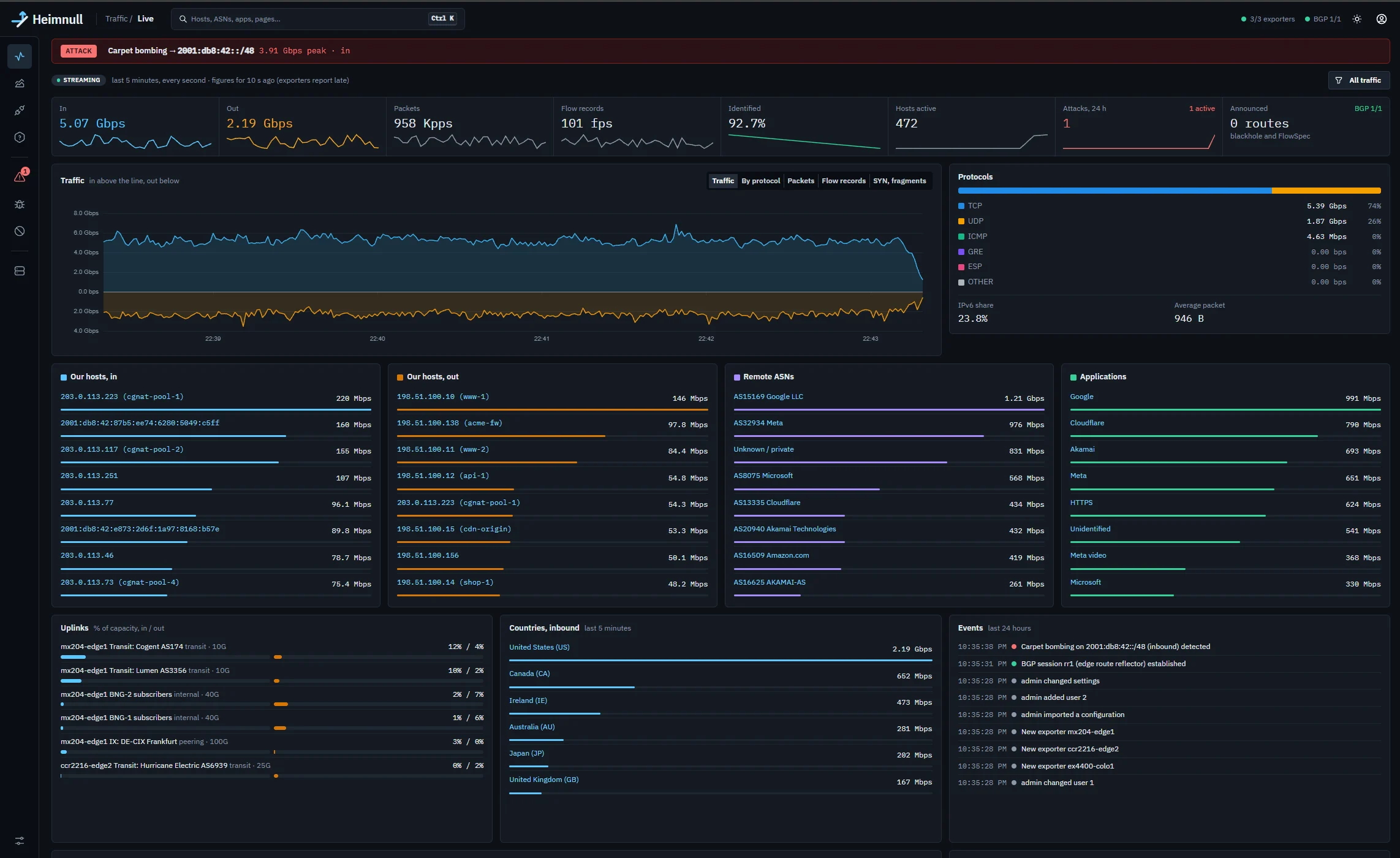
IPv6 at every step
Collection
IPv6 records in NetFlow v9 and IPFIX, sFlow v5 samples with IPv6 headers (and sFlow agents that talk IPv6), and Juniper packet samples parsed down through IPv6 extension headers to TCP, UDP and ICMPv6.
Storage and analytics
Every address is stored in one IPv6 column, with IPv4 as IPv4-mapped addresses. So every filter, top list, host page and search works the same way for both, and a filter on 2001:db8:42::/48 behaves like one on 203.0.113.0/24.
Detection
Per-host limits for every /128, hostgroup aggregates for whole prefixes, learned baselines and flex rules, all as for IPv4. ICMP floods over ICMPv6 are classified as ICMP floods.
Mitigation
FlowSpec rules in the ipv6-flowspec family (RFC 8956) and /128 blackholes with an IPv6 next hop, turned on per BGP session alongside IPv4.
Built for the size of IPv6
Scans and sweeps. A single /64 holds 264 addresses. Heimnull caps the per-host state it keeps for detection, evicting idle hosts first, so a sweep across a /64 can't exhaust memory. The hostgroup's aggregate still counts every packet, so the attack is caught as carpet bombing.
Prefix-sized mitigation. When an attack covers many addresses, aggregate FlowSpec rules and blackholes for IPv6 need an explicit switch and a prefix of at least /48 by default.
No mixed families. The safety checks keep IPv6 routes to IPv6 next hops, and IPv4 to IPv4, on every announcement.
Router configuration for IPv6
On a Juniper MX (setup guide), IPv6 needs three additions to the IPv4 setup: the sampling filter under family inet6 on the same interfaces, family inet6 unicast and inet6 flow on the BGP group, and an import term for /128 blackholes.
MikroTik RouterOS exports IPv6 in its own NetFlow v9 template, with no extra setup, and its blackhole filter matches dst-len == 128 for IPv6. RouterOS has no FlowSpec, so IPv6 attacks on MikroTik are mitigated with blackholes.
Router support for IPv6 FlowSpec varies by vendor and software release. Check yours before relying on it.
/* Juniper MX: accept Heimnull's IPv6 blackholes */
policy-options {
    policy-statement heimnull-in {
        term blackhole-v6 {
            from {
                family inet6;
                community heimnull-blackhole;
                route-filter 2001:db8:42::/48 prefix-length-range /128-/128;
            }
            then { next-hop discard; accept; }
        }
    }
}
Questions
Is IPv6 handled by a separate part of Heimnull?
No. IPv6 goes through the same pipeline as IPv4, from decoding to the routes Heimnull announces, and shows up in the same pages and charts.
Do my routers need to export IPv6 separately?
Usually only a little configuration. On a Juniper MX you apply the sampling filter under family inet6 as well; MikroTik exports IPv6 in its own template; sFlow samples carry IPv6 packets as they are.
How is an IPv6 host's limit set?
The same way as an IPv4 host's. Each address belongs to the most specific hostgroup that contains it, and gets that group's limits, baselines and action.
Related
See it on real traffic
The demo runs the full console on made-up traffic, with attacks and mitigations to click through. To try Heimnull on your own network, write to us.
info@heimnull.com